

Make donating as simple as a tap.
Turn an EFTPOS One terminal into a simple, self-directed donation point. Donors choose an amount, tap to pay and they're done.
Turn an EFTPOS One terminal into a simple, self-directed donation point. Donors choose an amount, tap to pay and they're done.
EFTPOS One Donation makes it easier for charities, community organisations and fundraising initiatives to accept card donations wherever people are already engaging with them.
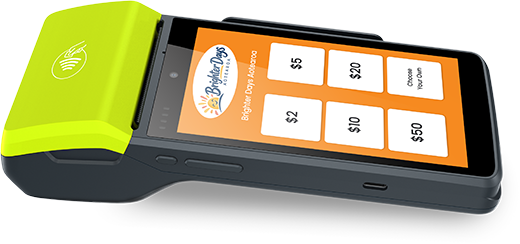
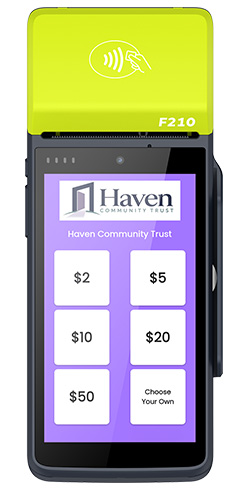
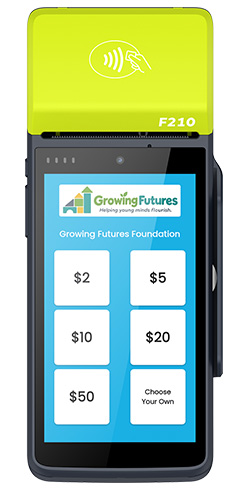
Using the Tap2Donate app on an EFTPOS One terminal, you can display a selection of preset donation amounts along with an option for donors to choose their own amount. The straightforward interface guides the donor through the transaction, making it ideal for locations where a traditional staffed EFTPOS checkout isn't practical.
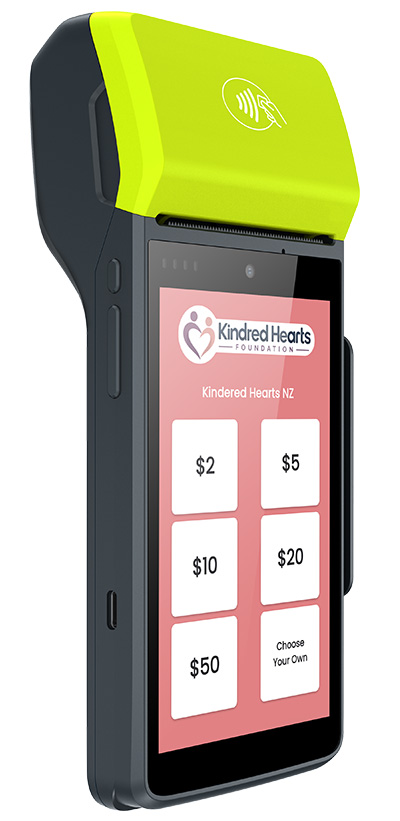
Giving is quick and straightforward:
Select one of the preset donation amounts or choose a different amount.
Simply tap a contactless card, phone or wearable. Cards can also be inserted or swiped where required.
The donation is processed securely and the terminal is ready for the next supporter.
Simple for your supporters. Easy for your organisation to manage.
Set suggested donation values while still giving donors the freedom to enter an amount of their own.
Add your own hero colour and logo to the donation screen, creating an experience that feels like part of your organisation or campaign.
The straightforward interface allows supporters to select an amount and complete their donation with minimal assistance.
Donations processed throughthe Paymark network and are settled to your nominated bank account the following day.
Keep track of transactions through Paymark Insights online reporting, giving your organisation greater visibility over donations collected.
Your terminal, payment processing and donation solution are all supported by EFTPOS Central, giving you one team to contact for assistance.
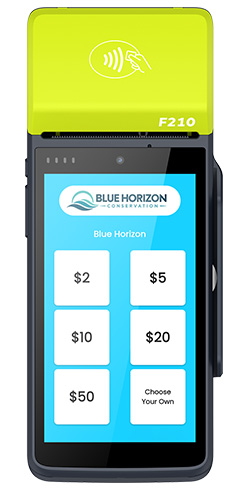
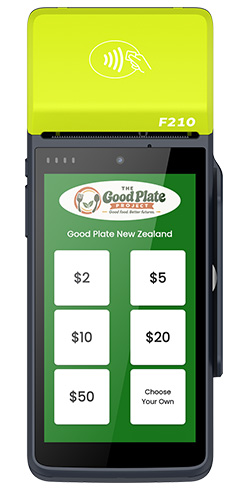
Get EFTPOS One Donation set up for your organisation and give supporters a simple way to choose an amount and pay.
Already using EFTPOS One? Talk to us about adding Tap2Donate to your terminal.

EFTPOS One Donation is available exclusively on EFTPOS One terminals, combining the Tap2Donate app with the payment, settlement and reporting features of EFTPOS One.
With EFTPOS One, your organisation gets more than just a donation terminal. Transactions are settled the following day, online reporting makes it easy to keep track of activity, and your terminal and payment setup are supported by EFTPOS Central.
EFTPOS One Donation is a donation collection solution available on EFTPOS One terminals. It uses the Tap2Donate app to let supporters choose a donation amount and complete their payment directly on the terminal.
Tap2Donate displays a selection of preset donation amounts, along with the option for supporters to enter their own amount. Once an amount is selected, the supporter simply completes the payment on the EFTPOS terminal.
No. Contactless tap payments are the quickest and most convenient option, but cards can also be inserted or swiped where required.
Yes. The Tap2Donate screen can be customised with your organisation's hero colour and a custom image, helping the donation experience better reflect your organisation or campaign.
Yes. You can configure preset donation amounts for supporters to choose from while still allowing them to enter a different amount of their own.
No. EFTPOS One Donation is available exclusively on compatible EFTPOS One terminals.
Donations processed through EFTPOS One are settled to your nominated bank account the following day.
EFTPOS One Donation is suited to locations such as reception areas, counters, foyers, event stands and other suitable collection points where supporters can complete the donation process directly on the terminal.
No. If you are new to EFTPOS One, EFTPOS Central can help arrange the terminal, merchant facility and donation setup. If you already use EFTPOS One, talk to us about adding Tap2Donate to a compatible terminal.
Your EFTPOS One terminal, payment processing and donation setup are supported by EFTPOS Central, giving you one team to contact for assistance.
There is no additional cost to use the Tap2Donate app with EFTPOS One Donation. Standard EFTPOS One terminal and transaction fees apply.
View our EFTPOS One page for more information.
Get started with EFTPOS One Donation
We can help set up the terminal, merchant facility and donation solution your organisation needs.


